Your coaching business. One system.
Program training, see every client's nutrition next to it, and run check-ins, messages, scheduling and payouts from one portal. Your clients follow your plan in the Siloh app, with the AI planning included.
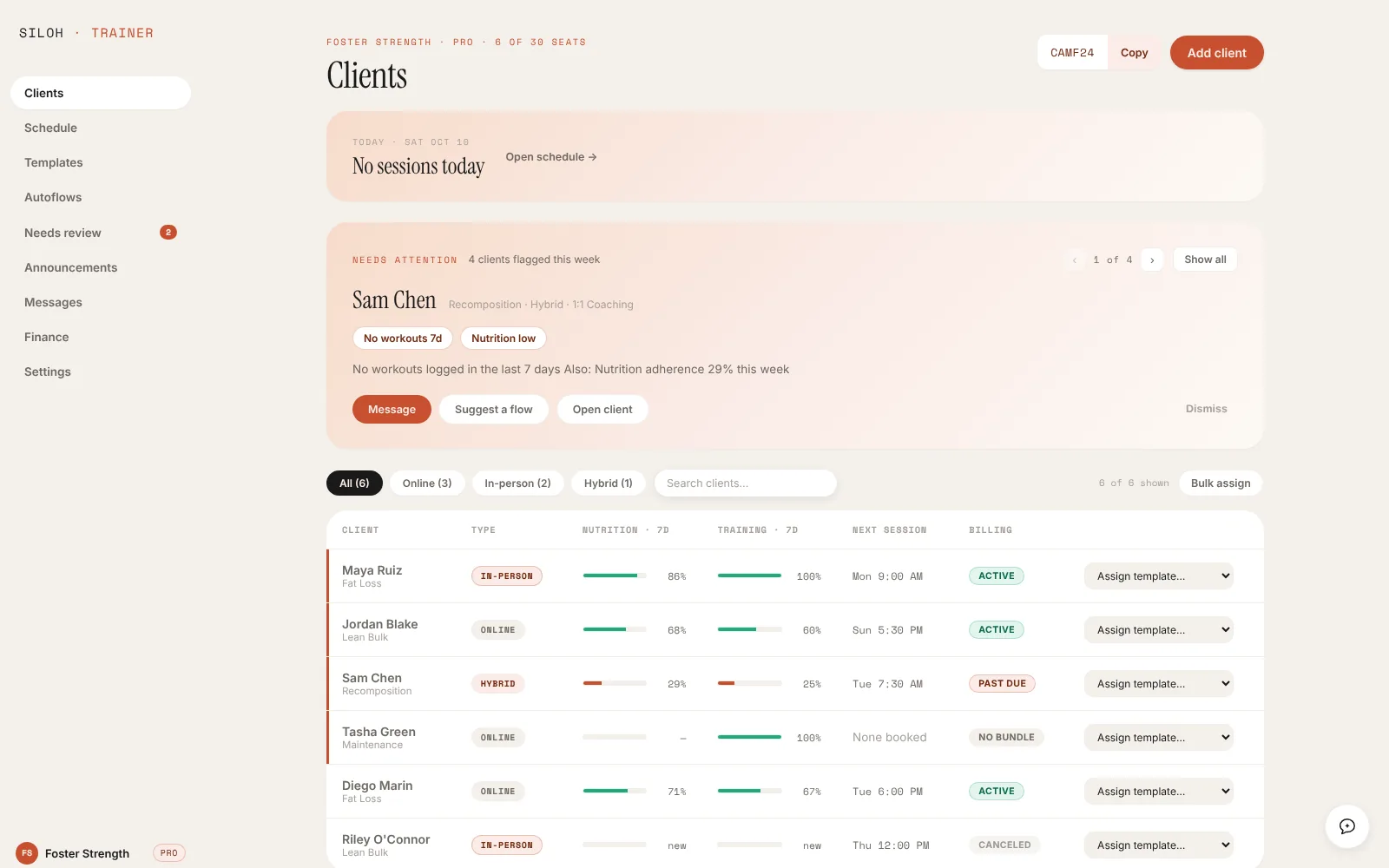
Siloh for trainers is a coaching portal that runs each client's training and nutrition as one system. You program sessions, see adherence on both sides, and handle check-ins, messages, scheduling and payments in one place, while clients follow your plan in the Siloh app.
Stop running clients across three apps and a spreadsheet.
Programming, nutrition, communication and money, in one place your clients never have to leave.
Roster that triages for you
Every client's nutrition and training adherence on one screen, with the ones who need attention this week pulled to the top.
Client detail, both halves
Workouts, nutrition trend, check-ins, habits, measurements and progress photos on one page per client.
Programs and templates
Build a program once, assign it to many. Published programs show up in your clients' Workouts tab.
Nutrition that follows the training
Clients' meal plans adapt to the sessions you program. Training days fueled, rest days lighter, automatically.
Check-ins and a review queue
Check-in forms and program reviews land in one queue, so nothing waits on you by accident.
Messages and autoflows
Message clients, schedule messages, and run automated sequences that greet, nudge and follow up by first name.
Schedule and sessions
A session calendar with rebooking flags for in-person, online and hybrid clients.
Packages and payouts
Sell coaching packages through Stripe and see earnings and payouts in the portal.
An assistant for each client
An AI side panel that already knows the client you're looking at.
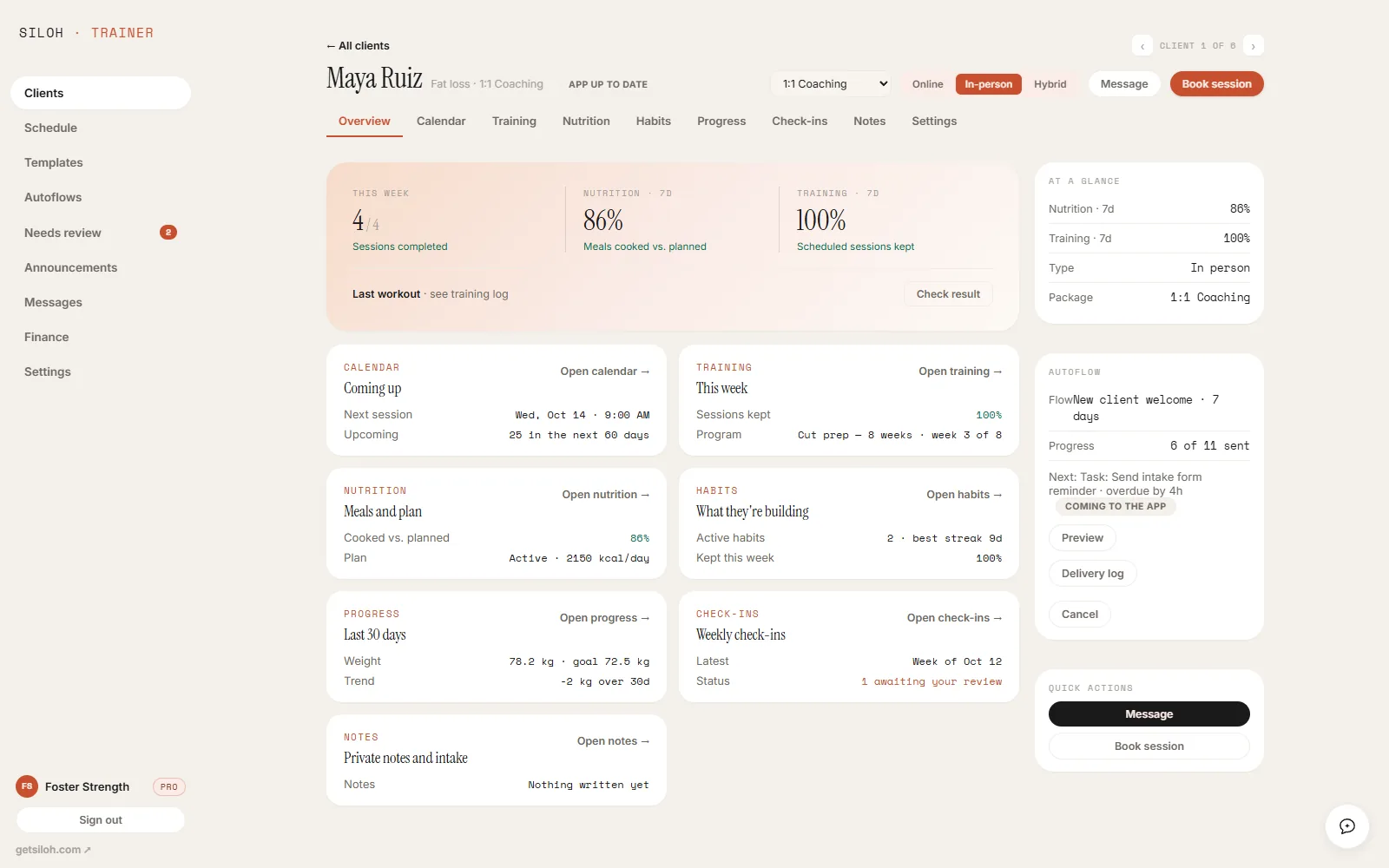
See why a week went sideways.
Missed sessions and under-eating show up side by side, so you coach the cause instead of the symptom. The assistant panel already knows the client you're looking at.
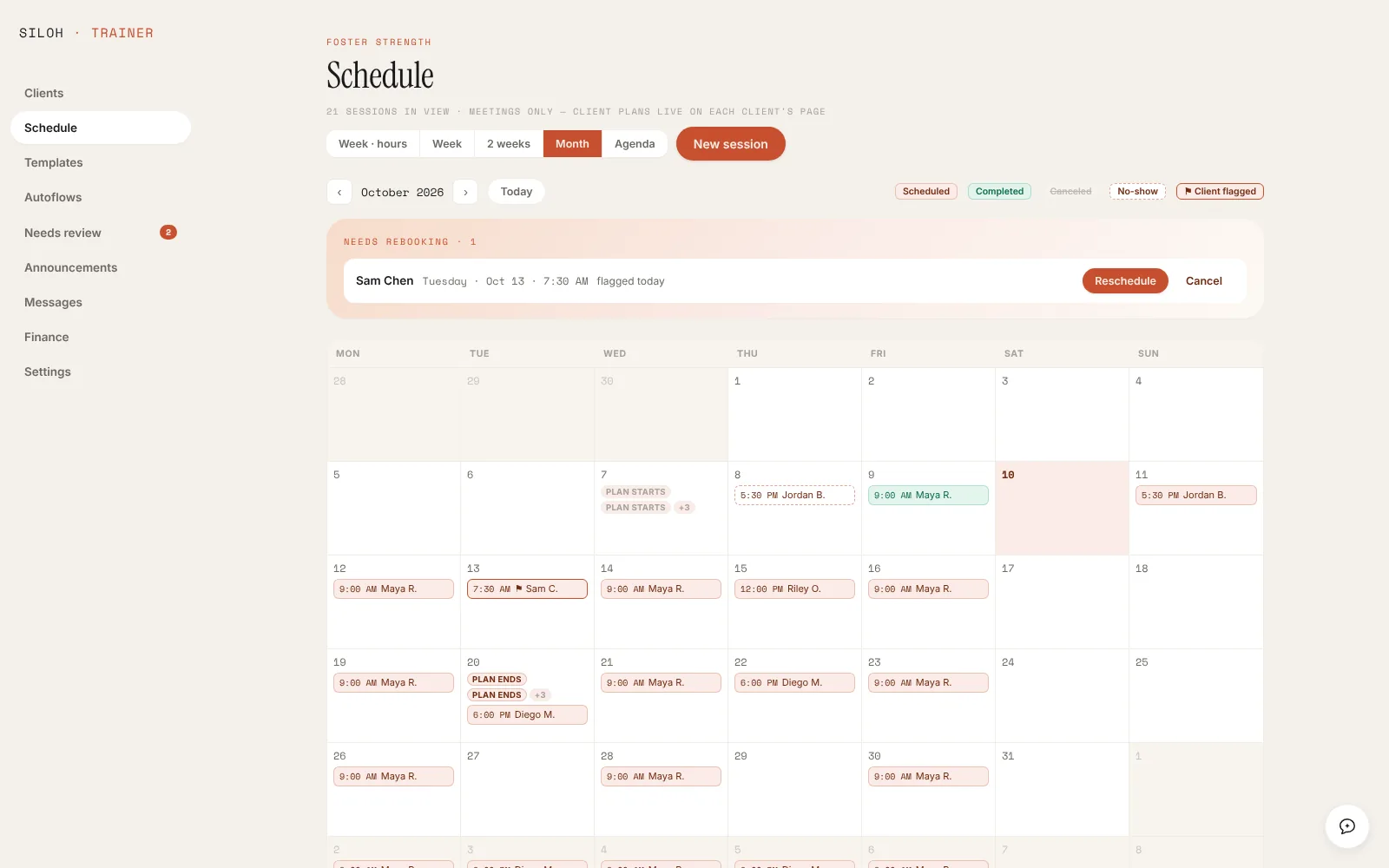
Sessions booked, packages paid.
Run in-person, online and hybrid clients from one calendar. Sell coaching packages through Stripe and see earnings and payouts without leaving the portal.
Three steps to your first client on Siloh.
Apply
Tell us about your practice. It takes about a minute.
Talk to us
We read every application ourselves and reply either way, usually within a week.
Bring your clients
Import your roster from a CSV. Each client gets an invite link to join you in the app.
Coach on Siloh.
Tell us about your practice. We onboard trainers personally, so every application is read by the team.